Meter Scanner: Utility App with Zero Critical Usability Issues and UX Maturity Up from 6.8 to 8.5
4 min readingMar 13, 2023
Overview

In short: In eight weeks, Spaceberry designed an iOS app that lets people in Ukraine scan and submit water, electricity and hot-water meter readings in one session; the redesign resolved 6 critical usability issues, raised the UX maturity score from 6.8 to 8.5/10 and lifted the estimated NPS from −2 to +30, and prototype testing surfaced no major usability issues.
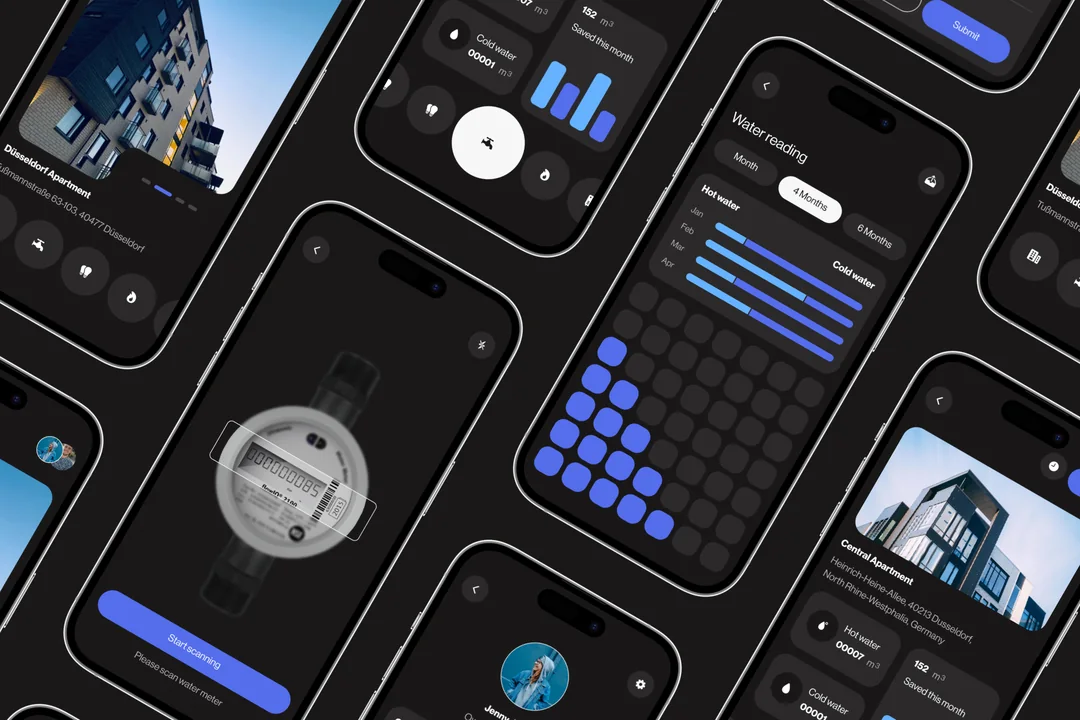
Meter scanner — the application is intended for millennials who are keen on fast reporting to the government in their homes and private entrepreneurs who have a real-estate business. Also, it is easily adjusted for civil servants to scan a huge number of counters every day.
- Location
- Ukraine
- Duration
- 8 weeks
- Industry
- Real Estate
- What was done
- IOS App design
Start working on a new application
When you start working on a new application as a UX designer, you never know beforehand what knowledge you might need at this particular time. Of course, firstly, that’s knowledge of the various platforms, understanding the general principles of design, layout rules, the ability to design a complex information architecture, etc.
But sometimes it may be completely unexpected things, for example, the knowledge of the cultural characteristics of an ethnic group or the understanding of Boolean algebra and the fundamentals of circuitry. That’s what happened in one of our recent UX design projects, we will unveil in today’s case study.
The Challenge
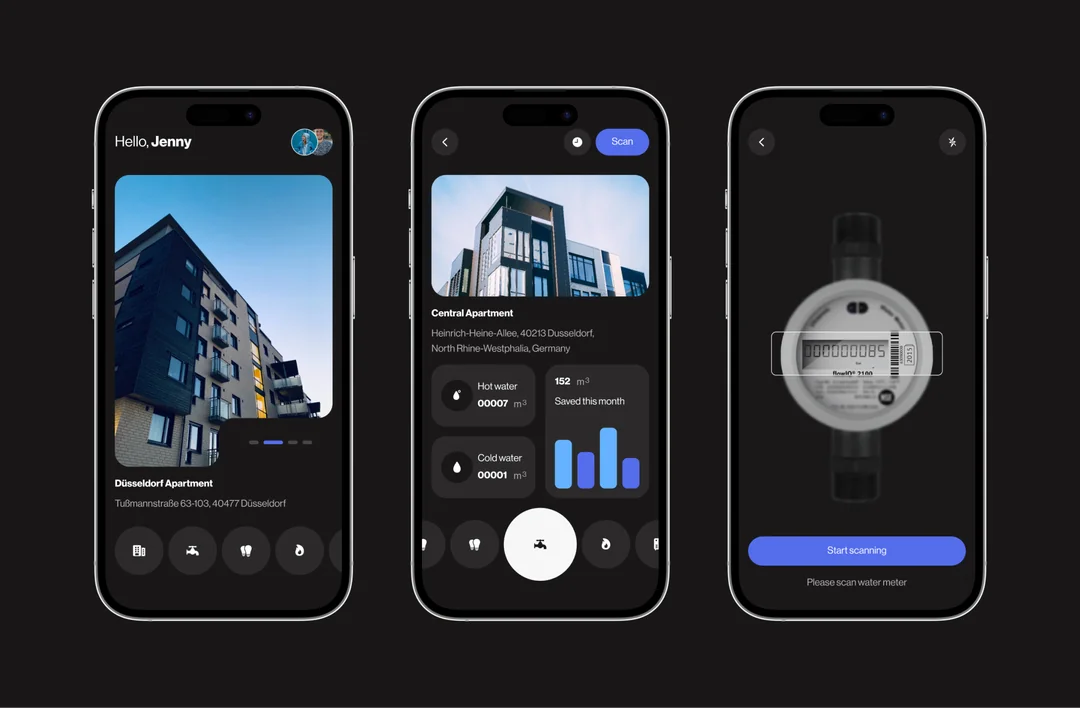
The task was set to design an application that helps people report. The project is an aggregator between the government and people to make reports in time.
Design an application that helps people in Ukraine take meters reporting to government institutions on time.
This app should consider requirements for multiple apartment reports and notifications. Should also be possible, adding a new meter to the apartment.
Current Solutions
By the end of the month (last 3–4 days of the month) every customer needs to report meters. They need to find in their apartments water, electricity, or a hot meter. Remember or rewrite numbers on a paper sheet. For each meter, the customer needs to go to a specific web portal to update the database.
Pain points
After making a few data updates ourselves, we found pain points, but for a more accurate identification of the problem, we asked for feedback on the experience from users (30 people interviewed). From our point of view, we clearly identify major and minor pain points:
- 13/30 complained the process take too much of their time;
- 20/30 complained that they have problems with remembering data;
- 28/30 complained that they need to log in to different web services to fill out reports for each meter, it’s a very inconvenient process;
- 25/30 complained that it will be better to update all the meters in one session (5-10 min);
- 19/30 complained that they have system errors with authorization and updating the database.
Our Approach
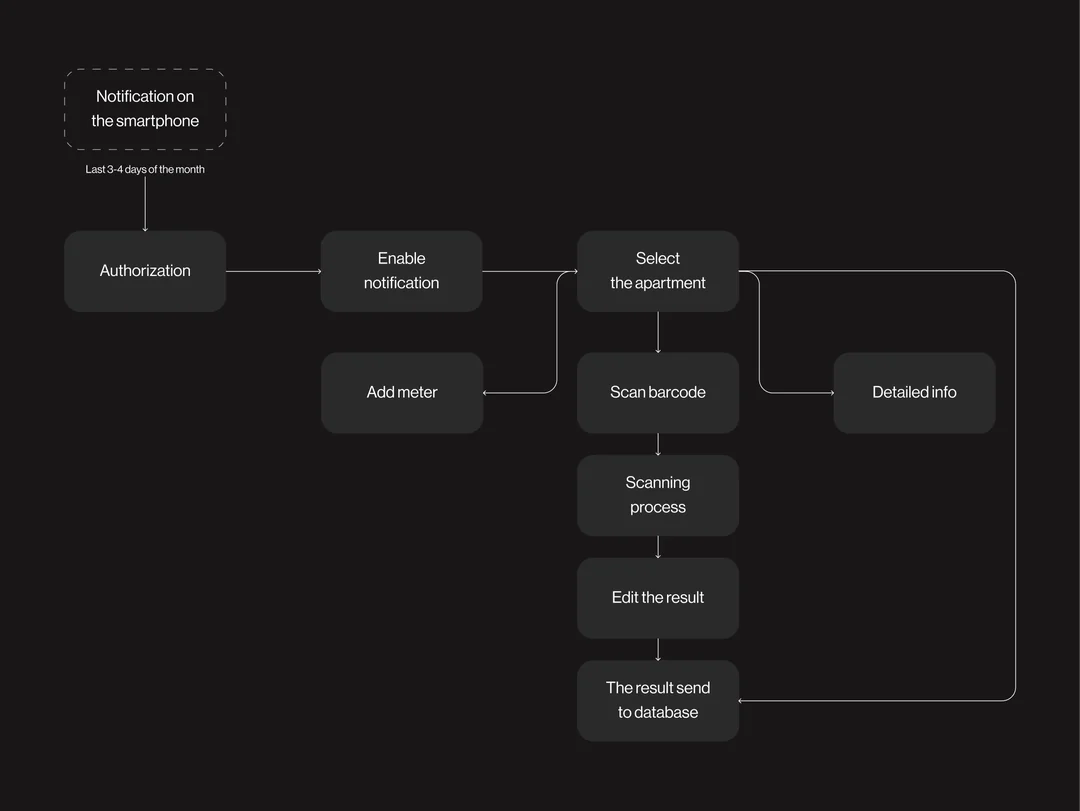
Once we gained a clearer picture of our user's problems, including the need for custom web design for mobile devices, we began adapting web user flows to the mobile environment and started generating design solutions. Based on the above-described problems of users, we create a user flow that describes the process of updating data.
All systems are based on notifications that remind customers to make data update in time. We identify 4 processes:
- Authorization & Verification;
- Selecting apartments;
- Scanning process;
- Updating data.
By optimizing these processes and investing in high-quality web design, we can deliver a great user experience while keeping website design cost in mind.
Wireframes
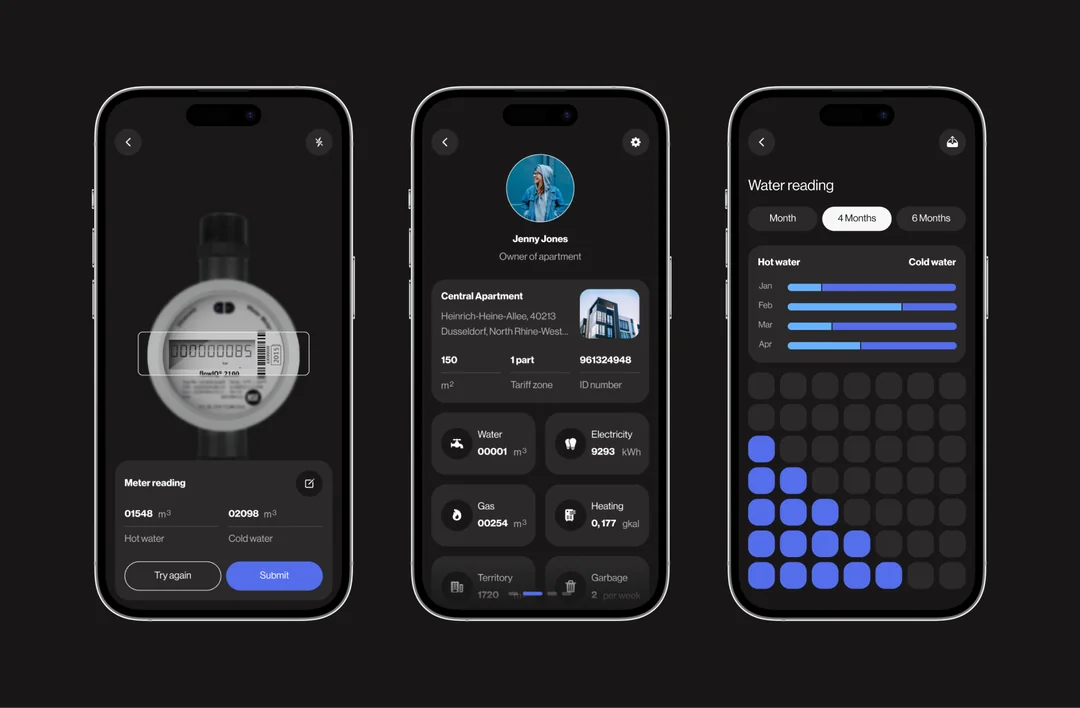
After we had a better understanding of users, we have listed some key features of the app below. So we announce a first design sprint for 1 week. The main goal is to make high-fidelity wireframes and create UI for the app.
- Authorization & Verification;
- Selecting apartments;
- Scanning process;
- Updating data.
For the second design sprint, we’re planning to add more features like
- Adding apartments and meters;
- Onboarding process;
- Custom notification.
We used the prototype for quick user testing, so we could validate our idea and uncover any major usability issues. Luckily, none of them had any issues with our product.
Conclusion
In conclusion, designing a successful application involves a lot of knowledge and consideration of different factors, including cultural characteristics, information architecture, and user pain points. This case study highlights the importance of custom website design for mobile devices and the need for notifications to remind customers to update data in a timely manner. By investing in high-quality web design, we can optimize processes and deliver a great user experience. The design sprints allowed for the creation of high-fidelity wireframes and user testing, resulting in a successful product that meets the needs of the target audience.